Screenshots
See SyncPhoto in action
Swipe through the app the way your photos will experience it.
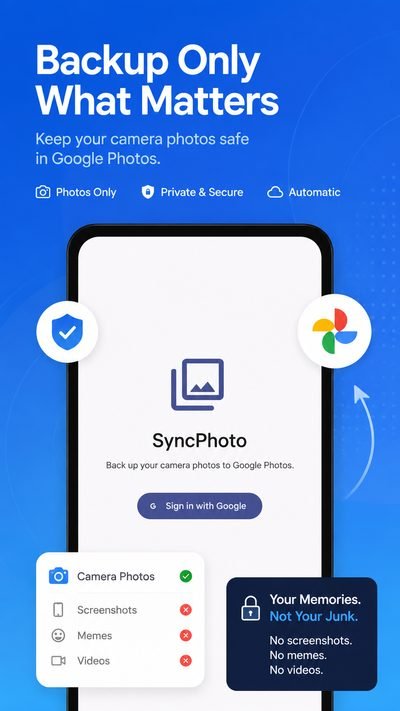
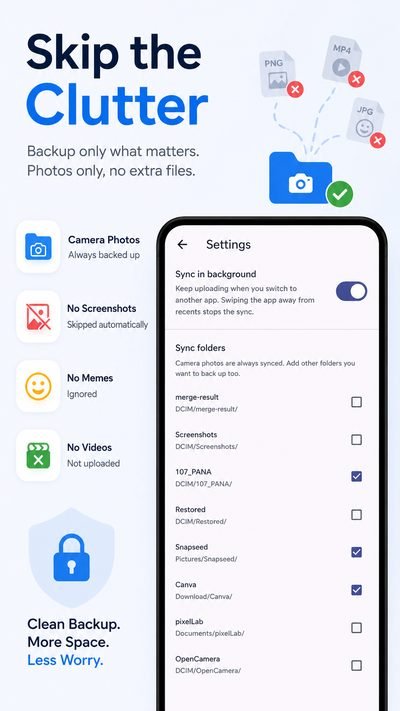
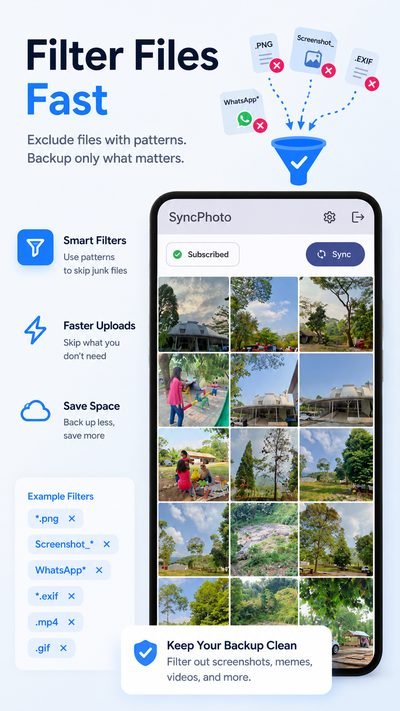
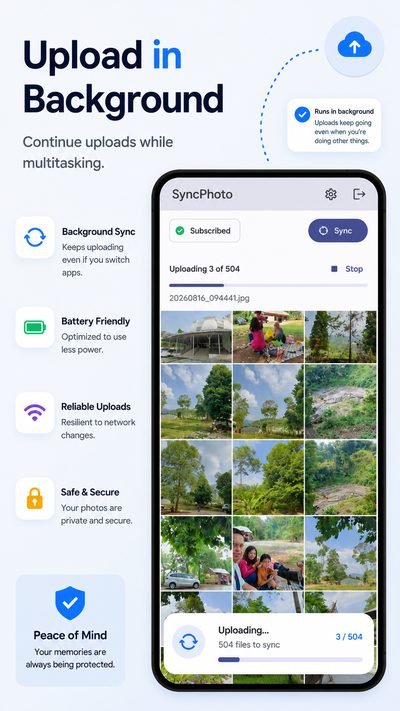
Every photo your camera takes is a memory worth keeping. SyncPhoto saves the ones that matter into your Google Photos, one by one, in the background, with a live progress notification. Then it marks them done and moves on.
Save only the photo memories that matter. Not just a cleaner storage.
This isn’t about tidying up your gallery. It’s about making sure the memories your camera captured actually survive, in your Google Photos, where they belong. Nothing more, nothing less.
The official Google Photos app syncs everything. SyncPhoto syncs what matters: the photos your camera took, so every memory is safe, and nothing else gets in the way.
Only photos from your camera are listed: videos, screenshots, and downloads are left alone.
Browse everything the camera took in a tidy grid. Uploaded photos are marked done and leave the grid.
See exactly which file is uploading, “Uploading 3 of 12 · IMG_0234.jpg”, right in the notification drawer.
Keep uploading while you use other apps. Stop anytime from the notification, no surprises.
One tap to connect. Photos go straight into your Google Photos account.
We never store or look at your photos. Uploads use Google’s secure API and HTTPS.
Install SyncPhoto and sign in with the Google account you want your photos to live in.
Your camera photos appear as a grid. Nothing has been uploaded yet, you stay in control.
Free plans sync up to 10 photos a day (50 a month). Hit Sync and watch each photo upload. Prefer no limits? SyncPhoto Plus unlocks unlimited, background sync, and more for $0.49/month.
Swipe through the app the way your photos will experience it.
Browse and sync for free. Upgrade when you want more.
Limited-time launch price, normally $1.99. Auto-renews monthly. Cancel anytime from Google Play.
Only the photos your camera took (the camera folder on your device). Videos, screenshots, and downloaded images are excluded by default, so your Google Photos stays clean. On SyncPhoto Plus you can optionally enable video backup.
Yes, on SyncPhoto Plus. When you turn on "Share video to YouTube," camera videos are uploaded to your own YouTube channel instead of Google Photos. You choose a privacy setting for each video — private, unlisted, or public — before syncing. YouTube caps daily uploads (10 by default, adjustable in Settings); extra videos wait until the next day.
Yes, on SyncPhoto Plus. Turn on "Only upload media with people" and photos or videos with no detected face are kept in the grid but not uploaded. Detection runs on-device with ML Kit, so nothing leaves your phone.
SyncPhoto is free forever for browsing and limited syncing: free plans can upload up to 10 photos a day and 50 photos a month. SyncPhoto Plus removes those limits and unlocks background sync, video backup, extra folders, and filters for $0.49/month. The subscription auto-renews monthly and you can cancel anytime from your Google Play account.
Yes, on SyncPhoto Plus. Uploads continue in the background with a live progress notification, and you can see exactly which file is uploading and stop it at any time. Free plans sync in the foreground, and swiping the app away from recents stops any sync.
Straight into your own Google Photos account via Google’s official API. SyncPhoto never stores, copies, or looks at your photos. It simply uploads a copy of each camera photo into your library.
It’s marked as synced and removed from the app’s grid, so you always know exactly what’s left. Completed uploads are remembered on your device, so you’ll never upload the same photo twice.
Yes. Sign-in uses Google OAuth 2.0, all uploads happen over HTTPS, and your photos never pass through our servers. You can revoke access at any time from your Google Account settings.
Practical Android guides for backing up only the photos you care about.
Back up just the photos your camera took, without videos, screenshots, or downloads cluttering your library.
Read articleKeep large video files out of your backup and protect your Google storage quota.
Read articleStop every screenshot and downloaded image from crowding out your real photo memories.
Read articleEvery feature explained: camera-only backup, background sync, video limits, folder selection, filters, and preview.
Read articleDownload SyncPhoto, sign in, and your camera photos are one tap from Google Photos.